Connect Samsung Health and your Galaxy Watch
Your Galaxy Watch saves your runs, sleep and steps to Samsung Health on your phone. Samsung Health shares them with Health Connect, Android's health store, and the YUHA Android app reads them from there. Two apps need your OK: YUHA and Samsung Health.
Tap the pictures to pause. Every step is below.
Before you start
- An Android phone with your Galaxy Watch already paired and syncing to Samsung Health.
- The YUHA Android app, signed in. Health Connect is read on the phone, so this cannot be set up from the website.
- Health Connect. On newer phones it is part of Android. On Android 13 or older it is an app from Google Play.
- About five minutes. You do the steps once. After that, new runs, sleep and steps arrive on their own.
Step by step
-
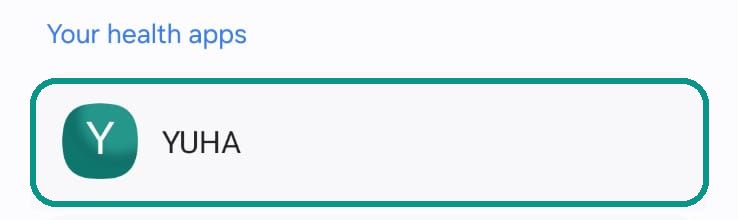
Connect Health Connect in YUHA
In the YUHA Android app, open Sources, tap Connect on Health Connect and choose Allow all. When it's done, YUHA is listed in Health Connect with no "Not connected" under it.
-
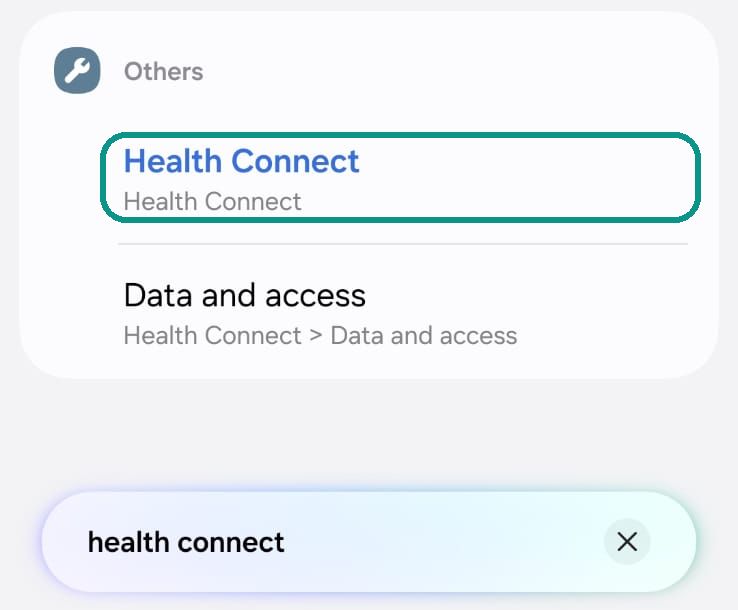
Open Health Connect
On newer phones Health Connect is part of Android, so it has no app icon. Open your phone's Settings, search for Health Connect and tap it. On Android 13 or older, get the Health Connect app from Google Play.
-
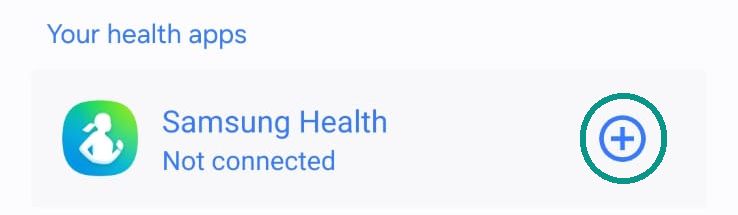
Let Samsung Health share
Under Your health apps, tap + next to Samsung Health and allow everything.
This is the step most people miss. Until Samsung Health is connected here, nothing from your Galaxy Watch reaches YUHA.
-
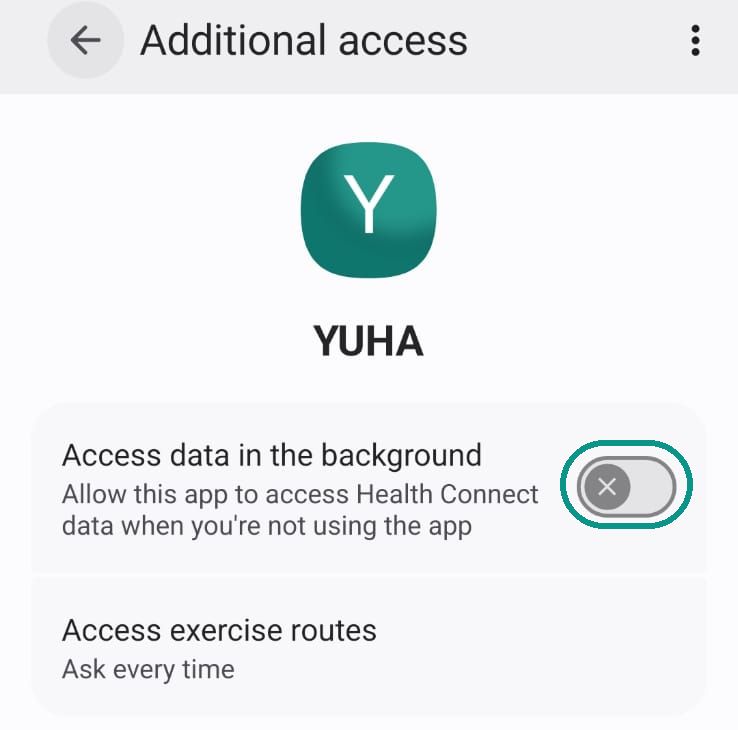
Let YUHA read in the background
In Health Connect, open YUHA, tap Additional access and turn on Access data in the background. Without it, new runs reach YUHA only while YUHA is open.
-
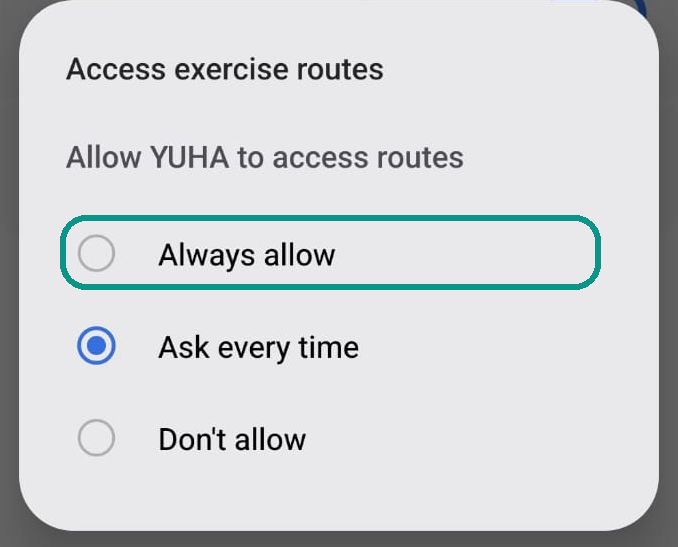
Let YUHA draw your route maps
On the same screen, tap Access exercise routes and choose Always allow. With Ask every time, YUHA has to ask you about each run before it can show its map.
-
Keep Samsung Health syncing
In Samsung Health, open Settings and turn on Sync with Samsung account. Samsung asks for this before it shares with Health Connect.
-
After a run
Your watch sends a run to your phone on its own schedule. If a run is missing in YUHA, open Samsung Health and pull down on its home screen. That makes the watch send it, and YUHA picks it up next.
What reaches YUHA
YUHA asks Health Connect for a short list of data and nothing else:
- Workouts, with their distance, elevation gain and route
- Sleep
- Steps
- Heart rate and resting heart rate
- Heart rate variability
- VO2 max
What arrives depends on what Samsung Health shares with Health Connect from your watch, so some of these can be empty for you. YUHA does not ask Health Connect for blood oxygen, breathing rate, weight or body fat. With whatever does arrive, YUHA builds your readiness score and says which input it could not read.
If something is missing
| What you see | What to do |
|---|---|
| Nothing from the watch in YUHA | Step 3. In Health Connect, tap + next to Samsung Health and allow everything. |
| Runs arrive only when YUHA is open | Step 4. In Health Connect, open YUHA, then Additional access, and turn on Access data in the background. |
| A run has no map | Step 5. Set Access exercise routes to Always allow. |
| Samsung Health will not share | Step 6. In Samsung Health, turn on Sync with Samsung account. |
| Today's run is not there yet | Step 7. Open Samsung Health and pull down on its home screen, then open YUHA. |
Common questions
Does YUHA work with a Samsung Galaxy Watch?
Yes. Your Galaxy Watch saves to Samsung Health, Samsung Health shares with Health Connect, and the YUHA Android app reads Health Connect. Follow the steps on this page once and new runs, sleep and steps reach YUHA on their own.
Why does Samsung Health say Not connected in Health Connect?
Samsung Health needs its own permission to share with Health Connect, separate from YUHA's. Open Health Connect, tap + next to Samsung Health and allow everything.
Why is my latest run missing in YUHA?
Your watch sends runs to your phone on its own schedule. Open Samsung Health and pull down on its home screen to make the watch send it, then open YUHA.
Do I have to repeat these steps?
No. You set the permissions once. After that your Galaxy Watch saves to Samsung Health, Samsung Health shares with Health Connect, and YUHA reads new runs, sleep and steps on its own.
Does this work on an iPhone?
No. Health Connect is part of Android, and YUHA reads it in the YUHA Android app. On an iPhone, YUHA reads Apple Health.
What data does YUHA read from Samsung Health?
YUHA asks Health Connect for workouts with their distance, elevation gain and route, sleep, steps, heart rate, resting heart rate, heart rate variability and VO2 max. What arrives depends on what Samsung Health shares from your watch.