Your run club, on one link.
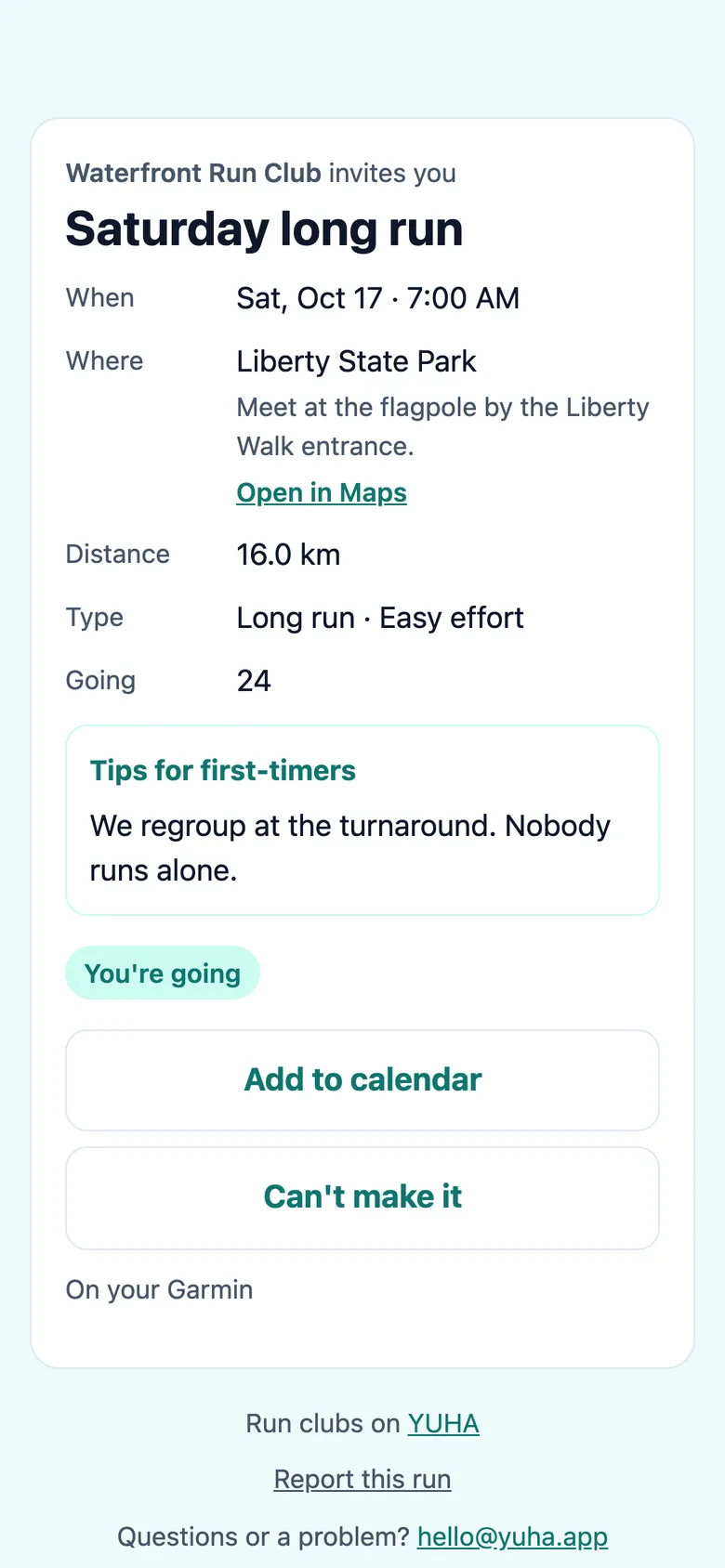
Post the run once and share the link. Runners say they’re going with an email code, find the start on a map, and get the run on their training plan and their watch. Organizers check people in at the start and see who came.
From a post to a run in three steps.
Post the run
One run or every week. YUHA suggests the run your club usually holds next with its date filled in, and Copy a past run fills the rest. Say how hard it is, Easy, Medium or High, and add tips for first-timers.
Share one link
Send it by WhatsApp or Messages with the message already written, copy it, or show the QR code. Pasted anywhere, the link shows a preview card with the run.
Runners say I’m going
From the link, with their name, email and a code. No password, no app to install. They find the start on a map and can add the run to their calendar.
The club run becomes part of your training.
On your plan and your watch.
Say you’re going and the run lands on your YUHA Workout Plan as a club run, coached at the effort the club set. It goes to your Garmin, or to your Apple Watch through the YUHA iPhone app, and the app reminds you before it starts. If your training plan already has a session that day, YUHA asks whether the club run takes its place.
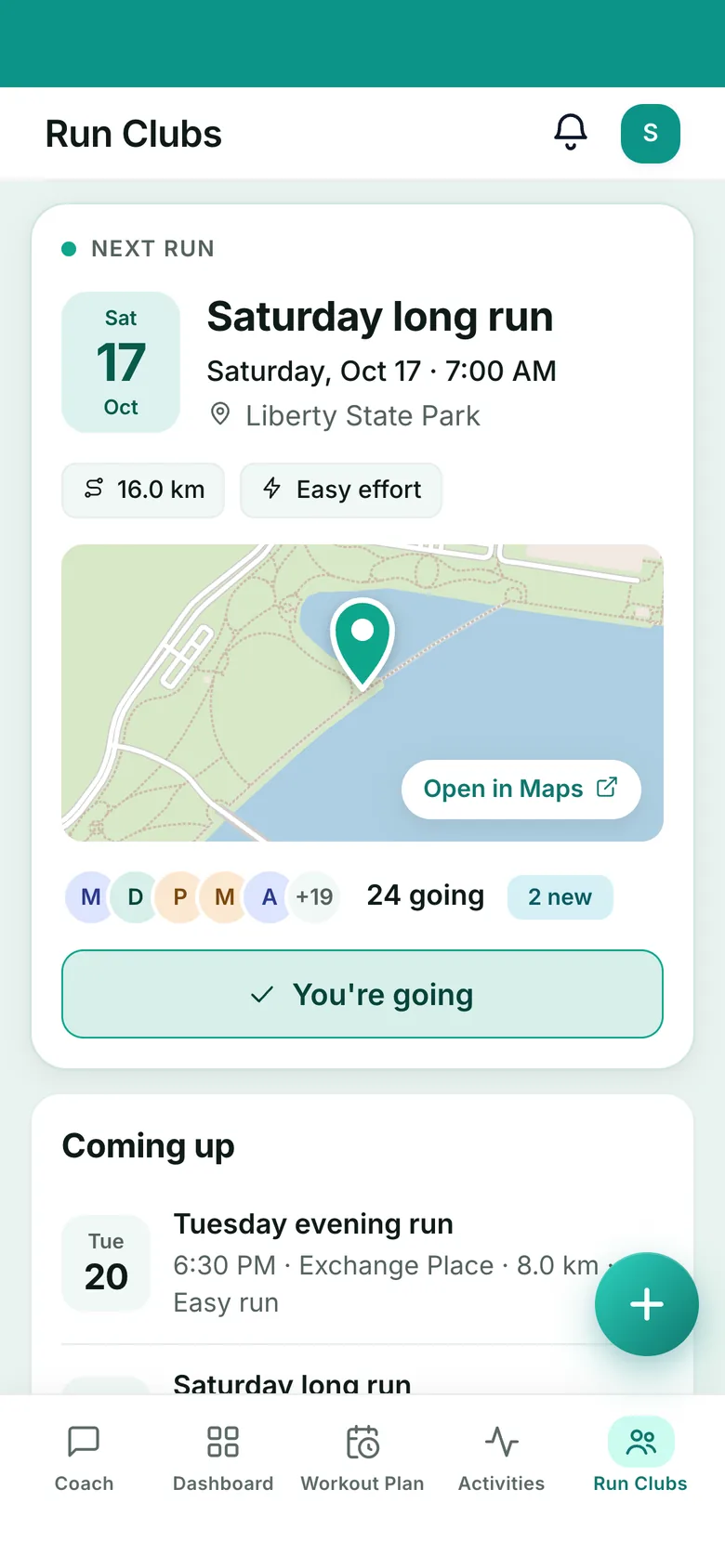
Every club run counts.
After the run, YUHA asks once whether the run your watch recorded was the club run. Say yes and it shows as a club run in your Activities, counts toward your 1st, 5th, 10th, 25th, 50th and 100th club runs, and gets its own share card. Nobody in the club sees your answer.
Run day without the clipboard.
Check people in, then see who came.
From an hour before the run, the club’s Admin and Captains keep a check-in list: tap people in, add someone who walked up, and name a sweeper. Once the run starts they see who came against who said going, and the headcount against last week’s.
Find a club near you.
Every runner signed in to YUHA gets Find a club, in the apps and on the web: the clubs and this week’s runs near the city you pick, in the United States and India. A club you have not joined shows its name, logo, city, member count and next run, never its members’ names or faces.
Not signed in? Browse run clubs by city: the clubs that chose to be listed, and this week’s runs.
Your runs stay yours.
Nothing from your runs or your health is ever shown to anyone in a club: no pace, distance, time, heart rate, route or readiness, and no leaderboard. Your name shows only if you choose. Club photos are for members only and are saved again without their location, and a women-only run shows only its area and time until you say you’re going.
Common Run Club questions.
Does YUHA cost anything for a club?
No. Run Clubs are free during launch, for the organizers and for every runner who joins.
How do I bring my club to YUHA?
Sign up, then tap Start a run club and give your club its name, city and home meeting spot. You're its Admin, and you can post your first run straight away. Moving from Heylo or Meetup? The move-over kit brings your members, your weekly runs and a ready-made announcement in about 10 minutes.
Do my runners need the YUHA app?
No. A runner opens the link, gives their name and email, types the code we send, and they're going, with no password and no app to install. With the YUHA app the run also gets a reminder before it starts, and it goes to their Garmin, or to their Apple Watch through the YUHA iPhone app.
Can the club see my pace or my runs?
No. Nothing from your runs or your health is ever shown to anyone in a club: no pace, distance, time, heart rate, route or readiness, and there is no leaderboard. Your name shows only if you choose to show it when you join.
Can I find a club near me?
Yes. Sign in to YUHA and open Run Clubs: Find a club shows the clubs and this week's runs near the city you pick, nearest first. A club's Admin can keep it off that list.
Where are Run Clubs available?
In the United States and India. A club's distances, dates and forecast follow its country, miles and Fahrenheit in the US and km and Celsius in India, and its Admin can switch the units.
What about women-only runs?
An organizer can mark a run women-only. Its page then shows only the area and the time, with no count, and the exact meeting point and notes go only to the people going.
Bring your club to YUHA.
Free for clubs during launch. Moving from Heylo or Meetup? Bring your members, your weekly runs and a ready-made announcement in about 10 minutes.
Start a run club →